
Podcast Widget Features
Discover what makes our podcast widget powerful and easy to use for your website.
Why teams love Podcast Widget
Everything you need to create a professional widget powered by your spreadsheet data.
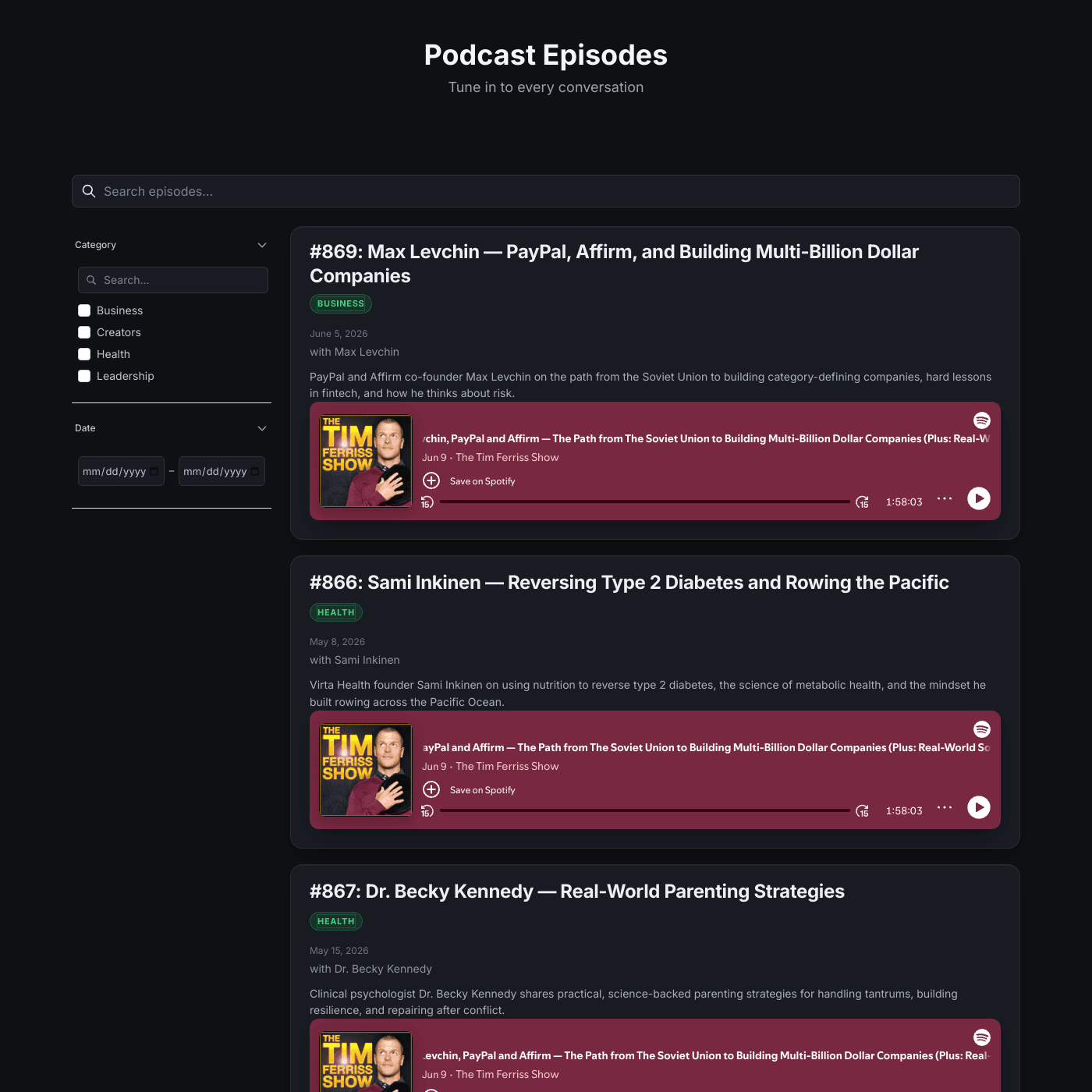
Visitors Listen Without Leaving Your Site
Each episode embeds a live player that streams directly on the page. No redirects, no pop-ups — visitors browse your episodes, hit play, and listen right there. Just paste the embed code Spotify gives you into your spreadsheet.
Manage Episodes from a Simple Spreadsheet
Your episodes live in Airtable or Google Sheets. Add a new episode, write the description, tag a category, set the date, and paste the embed — all from a spreadsheet. New episodes appear on your website instantly.
Embed Any Player You Like
The embed field takes any iframe, so you are not locked into one platform. Use Spotify for some episodes, Apple Podcasts, YouTube, or SoundCloud for others — whatever your audience prefers. If a platform gives you an embed code, it works.
Help Listeners Find the Right Episode
Built-in search and filters let visitors browse by category, narrow to a date range, or search by guest and title. Every episode also gets its own detail page with the full player, description, and related episodes.
Match Your Show’s Brand
Customize fonts, colors, layout, and spacing to match your show — from a clean light directory to the sleek dark theme in our template. Add your own CSS for full control. The widget adapts to your brand, not the other way around.
Real-time Data Sync
Your podcast widget stays perfectly in sync with your data source. Update your Airtable or Google Sheets and see changes reflected instantly on your website.
- Automatic sync every few seconds
- No manual republishing required
- Works with Airtable and Google Sheets
Live sync illustration
Feature FAQs
Absolutely. Adjust fonts, colors, spacing, and layout to match your show. Our template ships with a polished dark theme, and you can add your own custom CSS for complete control over the look.