
Embed your Podcast on any website
 Airtable
 Google Sheets
 Notion
 Stackby
 SmartSuite
 Excel
Excel Teable
 NocodeBackend
 AITable
 Trello
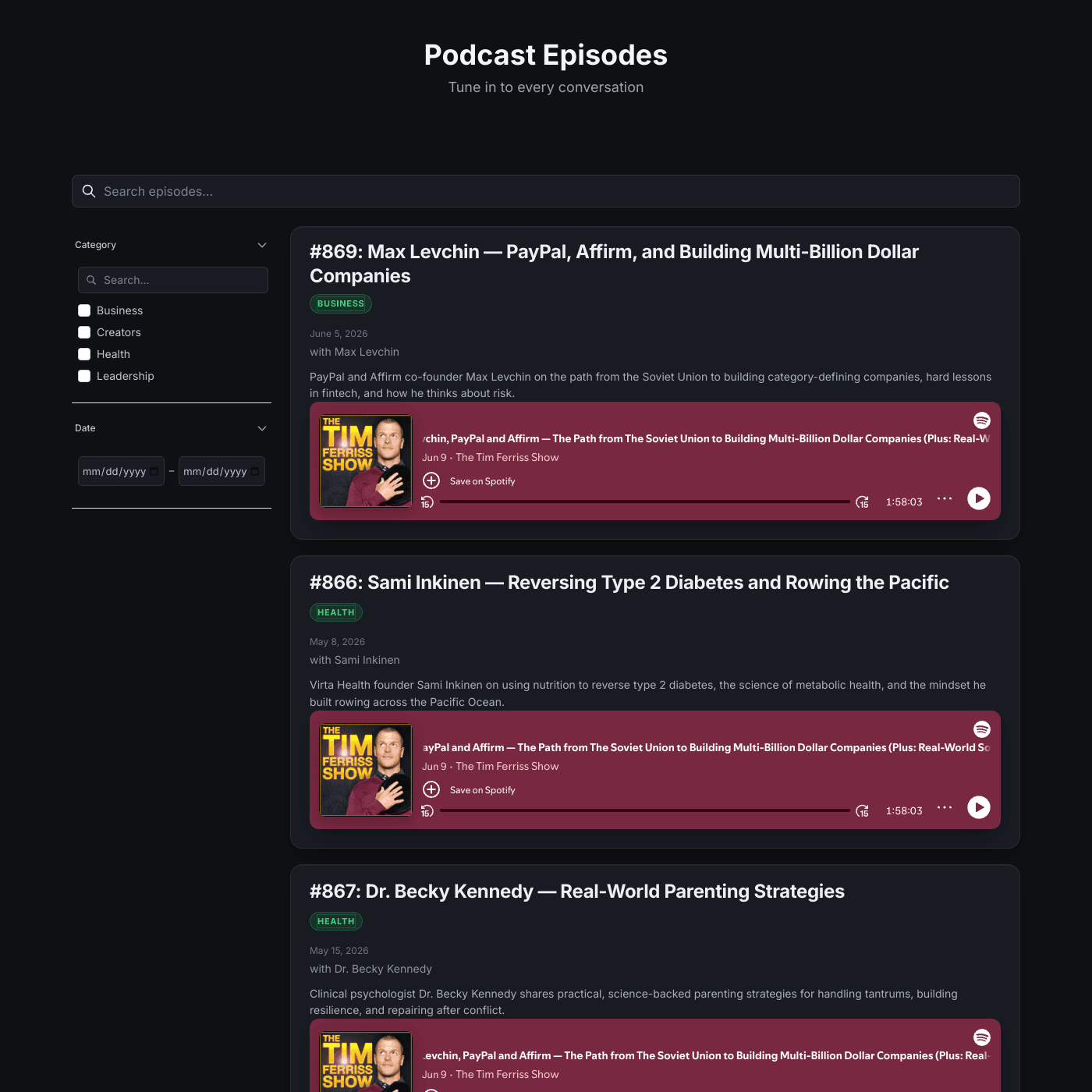
Create a beautiful episode directory with live Spotify players, organized by category and date. Powered by Airtable or Google Sheets — visitors browse and listen to every episode right on your site.
Works with all website builders, e-commerce platforms, and websites.
 Weebly
 CarrdGoDaddyHubSpotHTML
 UnbounceBigCommerce
Create your Podcast Widget
Configure your widget and add it to your website for free!
Shareables Podcast Widget lets you publish a podcast episode directory on any website, powered by Airtable or Google Sheets. Paste a Spotify, Apple Podcasts, or YouTube embed for each episode and visitors listen right on your page — no coding or hosting platform required.
Why teams love the Podcast Widget
Publish your podcast page in minutes, not days.
Visitors Listen Without Leaving Your Site
Each episode embeds a live player that streams directly on the page. No redirects, no pop-ups — visitors browse your episodes, hit play, and listen right there. Just paste the embed code Spotify gives you into your spreadsheet.
Manage Episodes from a Simple Spreadsheet
Your episodes live in Airtable or Google Sheets. Add a new episode, write the description, tag a category, set the date, and paste the embed — all from a spreadsheet. New episodes appear on your website instantly.
AirtableGoogle SheetsNotion StackbySmartSuiteExcelTeableNocodeBackendAITableTrello
“Updates sync instantly with my source data.”
Troy Hamthanon
Embed Any Player You Like
The embed field takes any iframe, so you are not locked into one platform. Use Spotify for some episodes, Apple Podcasts, YouTube, or SoundCloud for others — whatever your audience prefers. If a platform gives you an embed code, it works.
Help Listeners Find the Right Episode
Built-in search and filters let visitors browse by category, narrow to a date range, or search by guest and title. Every episode also gets its own detail page with the full player, description, and related episodes.
Match Your Show’s Brand
Customize fonts, colors, layout, and spacing to match your show — from a clean light directory to the sleek dark theme in our template. Add your own CSS for full control. The widget adapts to your brand, not the other way around.

“The embeds look great on any site. Total no-brainer.”
Islam Yusri
Aionic Lab
Frequently Asked Questions
A podcast widget is an embeddable component that displays your podcast episodes directly on any website. It pulls episode data from Airtable or Google Sheets and renders it with live player embeds, category and date filters, search, and individual episode detail pages.
In Spotify, open an episode, click the three dots, choose Share → Embed episode, and copy the code. Paste that code into the embed column of your spreadsheet for that episode. The widget renders the live player on each card and detail page, so visitors can listen without leaving your site.
Yes. The embed field accepts any iframe embed code, so you can mix Spotify, Apple Podcasts, YouTube, or SoundCloud across your episodes. If the platform provides an embed code, it will work in the widget.
Create a spreadsheet with columns for episode title, guest, category, date, description, and the embed code. Connect it to Shareables and your podcast page is ready. Start from our template to get pre-filled sample data you can replace with your own episodes.
Yes, every episode has a dedicated page with its own clean URL. The page includes the full player, the description, the publish date, and a "More episodes" section linking to other episodes — which makes each episode shareable and SEO-friendly.
Yes. The widget includes search plus filters for category and a date range, so listeners can quickly find a specific guest, topic, or recent episode. You control which columns are searchable and filterable.
The podcast widget works with any website that supports embed codes, including Webflow, Squarespace, WordPress, Wix, Shopify, Notion, Framer, Ghost, and custom HTML sites.
No coding required. Our visual editor lets you customize everything — fonts, colors, layouts, and more — without writing a single line of code. You only ever copy and paste the embed codes your podcast host provides.
Absolutely. Adjust fonts, colors, spacing, and layout to match your show. Our template ships with a polished dark theme, and you can add your own custom CSS for complete control over the look.
Yes, you can get started for free. The free tier includes live podcast embeds with a small "Powered by" badge. Upgrade to remove branding and unlock advanced features.
More Widgets
Blog Widget
Create a beautiful, fully customizable blog widget powered by your Airtable or Google Sheets data. Embed anywhere in minutes.
Chart Widget
Turn your Airtable or Google Sheets data into beautiful, interactive charts. Bar, line, pie, area, and more. Embed on any website in minutes.
Card Widget
Create beautiful, fully customizable card grids powered by your Airtable or Google Sheets data. Embed anywhere in minutes.