
Turn Notion into a blog on any website
 Airtable
 Google Sheets
 Notion
 Stackby
 SmartSuite
 Excel
Excel Teable
 NocodeBackend
 AITable
 Trello
Write blog posts in Notion and publish them as a fully styled, SEO-friendly blog you can embed anywhere. Full page content — headings, images, callouts, code blocks — rendered beautifully.
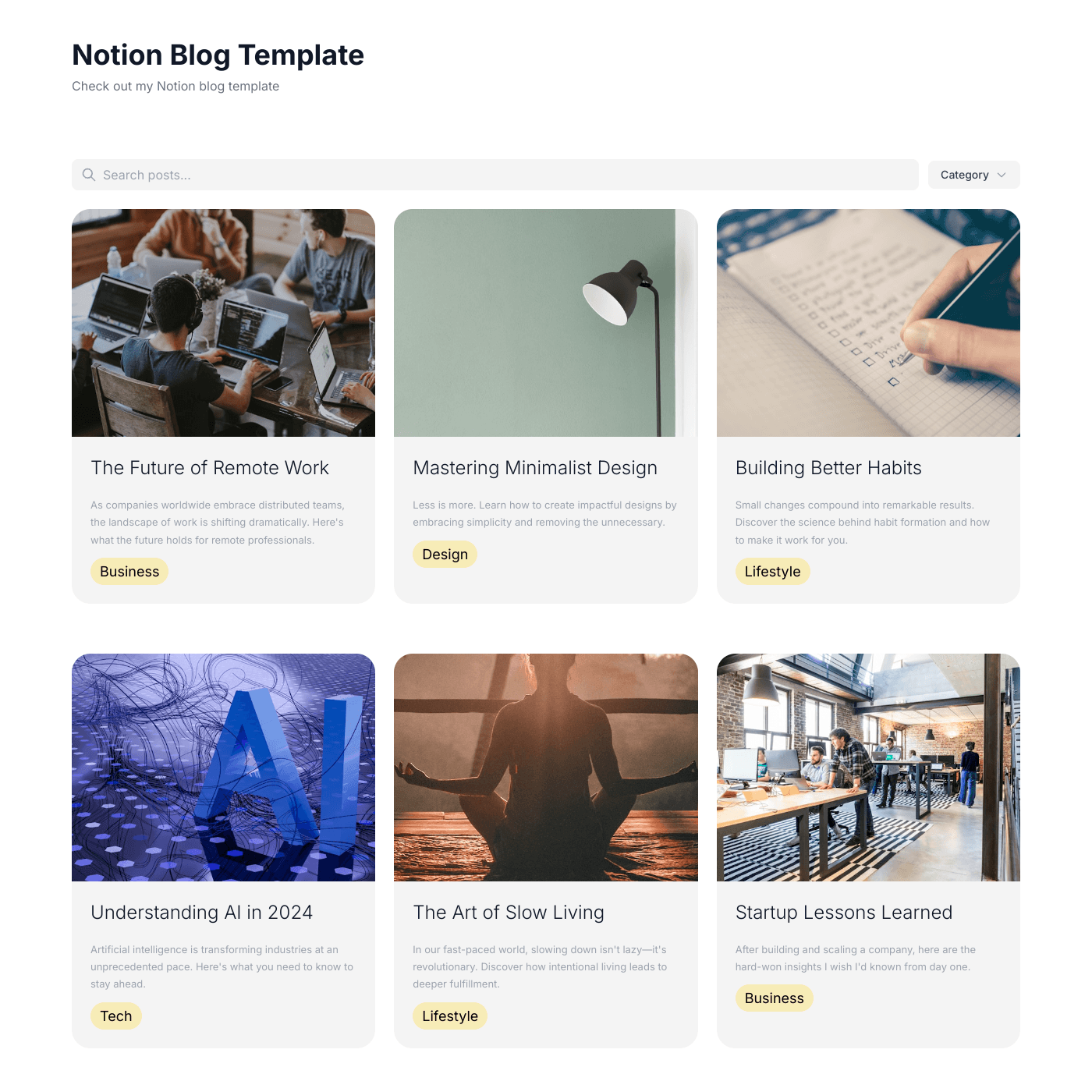
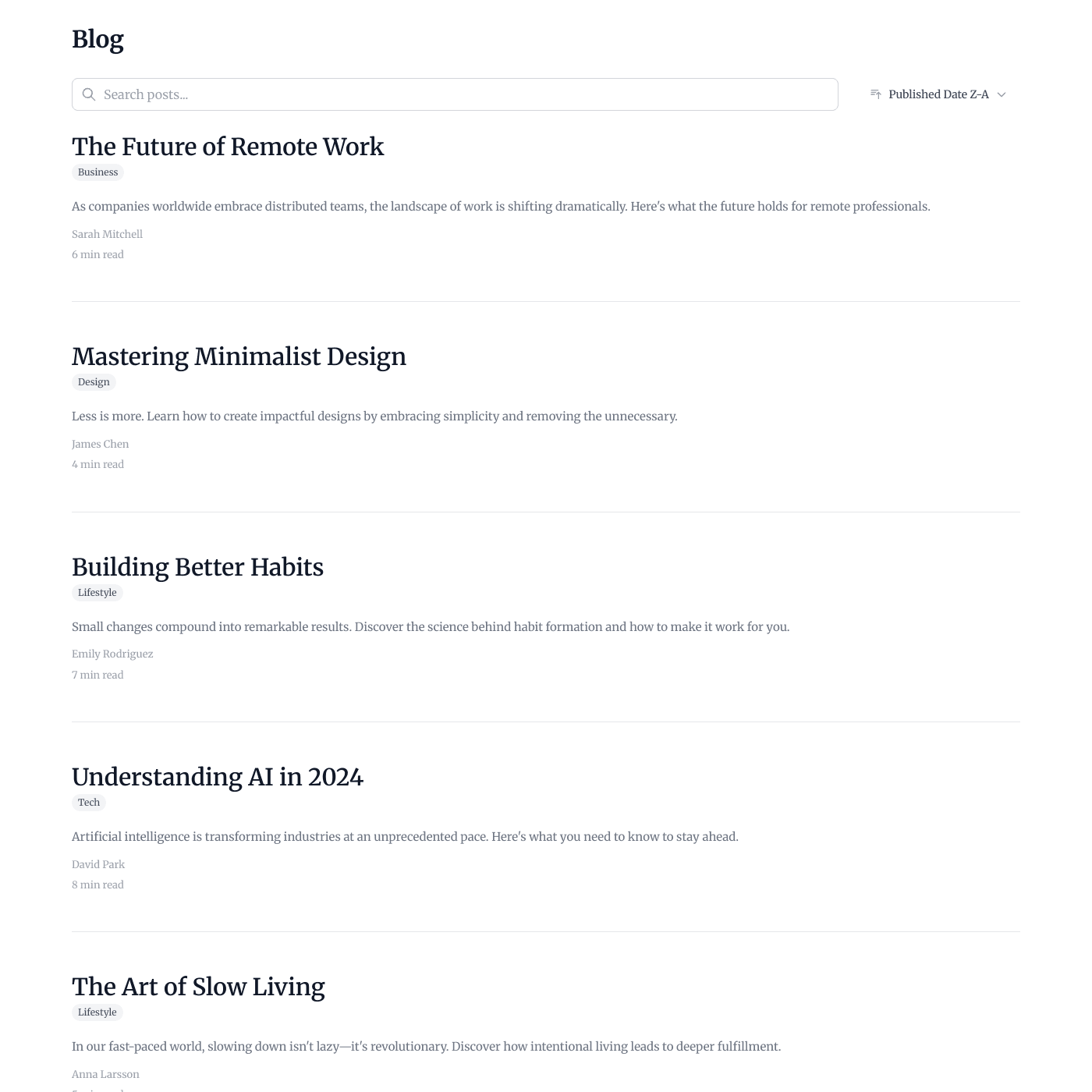
Works with all website builders, e-commerce platforms, and websites.
 CarrdFramerNotion
Create your Notion Blog Widget
Configure your widget and add it to your website for free!
The Notion Blog Widget renders your full Notion page content — headings, lists, images, callouts, and more — as a polished blog you can embed on any website. Write in Notion, publish everywhere.
Why teams love the Notion Blog Widget
Write in Notion. Publish as a beautiful blog.
Your Notion Database Is Your CMS
No need to learn a new platform. Write your blog posts directly in Notion using all the blocks you already know — headings, lists, images, callouts, toggles, code blocks. Publish your database to the web and your content appears on your site.
AirtableGoogle SheetsNotion StackbySmartSuiteExcelTeableNocodeBackendAITableTrello
“Using AI within Notion to update and check content, and using Shareables to populate our website, has been a massive upgrade to our workflow. All our data now lives in one location.”
Gerry McGowan
Class Options
Every Notion Block, Rendered Beautifully
Headings, paragraphs, bullet lists, numbered lists, to-do checklists, quotes, callouts, code blocks, images, videos, tables, toggles, columns, and more. Your Notion page content renders with clean styling that matches your site.
Blog Posts That Rank in Search
Each blog post gets its own SEO-friendly URL with server-rendered content. Search engines see your full page content — headings, text, images — not just metadata. Clean HTML, fast load times, and structured data help your posts rank.

“Setup was quick and it's been solid since.”
Samuel
Focus Digital
Style Your Blog Content
Customise heading colors, text colors, link colors, font sizes, divider colors, and checkbox colors. Use the built-in style controls or target any element with custom CSS using the sh-notion-* class prefix for complete control.
Embed on Any Website
Works with any website builder including Webflow, Squarespace, WordPress, Wix, and more. Embed your Notion blog as a widget or host it on a custom domain. Responsive on all devices.

“The embeds look great on any site. Total no-brainer.”
Islam Yusri
Aionic Lab
Frequently Asked Questions
A Notion Blog Widget turns your Notion database into a fully styled blog you can embed on any website. It renders your full Notion page content — headings, lists, images, callouts, code blocks, and more — not just database properties.
The standard blog widget displays content from a text column in your database. The Notion Blog Widget renders the actual page content (blocks) from inside each Notion page — headings, images, callouts, toggles, and all other block types you write in Notion.
Yes. Your Notion database must be published to the web for page content to load. In Notion, open your database, click Share, then Publish, then Publish to web. This is a one-time setup.
Most Notion blocks are supported including: paragraphs, headings (H1-H4), bulleted lists, numbered lists, to-do checklists, quotes, callouts, code blocks, images, videos, audio, tables, toggles, toggle headings, columns, dividers, bookmarks, files, and table of contents. Inline databases are not currently supported.
Connect your Notion account, select or create a database, and customize the design. Then embed the widget on your site using a simple code snippet. Works with Webflow, Squarespace, WordPress, Wix, and any website that supports embeds.
No. The entire setup is visual — connect Notion, customize the design, and embed. For advanced styling, you can use custom CSS with the sh-notion-* class prefix, but it is not required.
Page content is cached for performance and refreshes automatically. When someone visits a blog post, the cache is checked. If it is older than 60 minutes, fresh content is fetched from Notion in the background. The next visitor sees the updated content.
Yes. Blog posts are server-rendered with full HTML content, so search engines see your complete page content including headings, text, and images. Each post has its own URL with clean slugs, and the content is included in the initial HTML response.
Yes. You can customize heading colors, text colors, link colors, font sizes, divider colors, and checkbox colors through the built-in style editor. For more control, use custom CSS targeting the sh-notion-* classes.
You can start for free with our free plan. Paid plans unlock additional features like custom domains, removing branding, and priority support.
The Notion Blog Widget works with any website builder or platform that supports embedding, including Webflow, Squarespace, WordPress, Wix, Shopify, Carrd, Framer, and custom-built sites.
Yes. The blog layout and all Notion block content adapt to any screen size. Columns collapse on mobile, images resize, and typography adjusts for readability.
Yes. Images uploaded directly to Notion pages are supported. Since Notion image URLs expire after about an hour, the widget automatically refreshes them through the caching system.
Yes. Notion Page Content is added as a draggable field in your detail page fields list. You can drag it above, below, or between your other fields to position it exactly where you want.
More Widgets
Blog Widget
Create a beautiful, fully customizable blog widget powered by your Airtable or Google Sheets data. Embed anywhere in minutes.
Chart Widget
Turn your Airtable or Google Sheets data into beautiful, interactive charts. Bar, line, pie, area, and more. Embed on any website in minutes.
Card Widget
Create beautiful, fully customizable card grids powered by your Airtable or Google Sheets data. Embed anywhere in minutes.