Focus Column for Trello
A lightweight browser extension that displays your Trello columns in a clean sidebar. Focus on what matters without the distraction of your full board.
Works with any Trello board. No account required.
Everything you need to stay focused
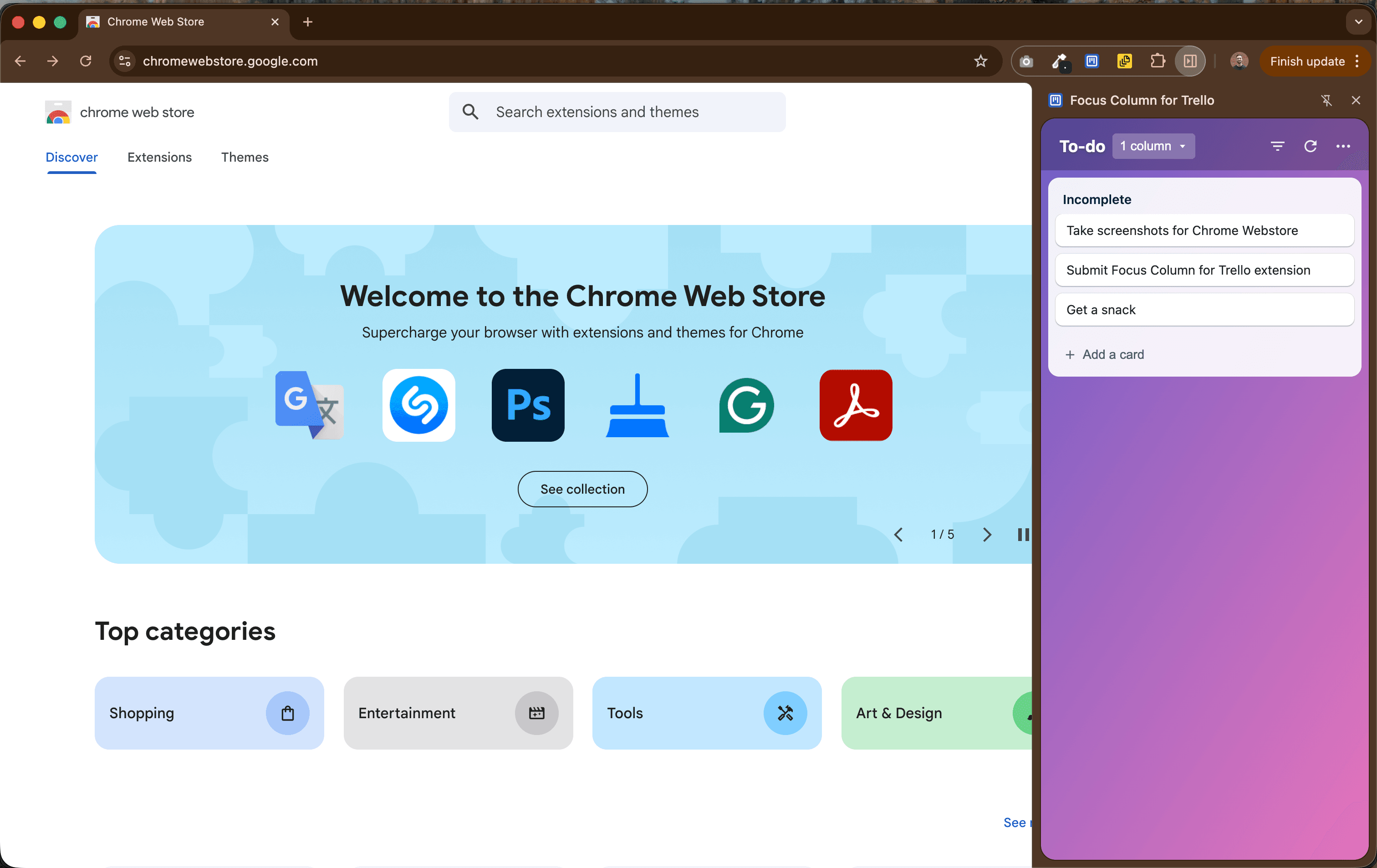
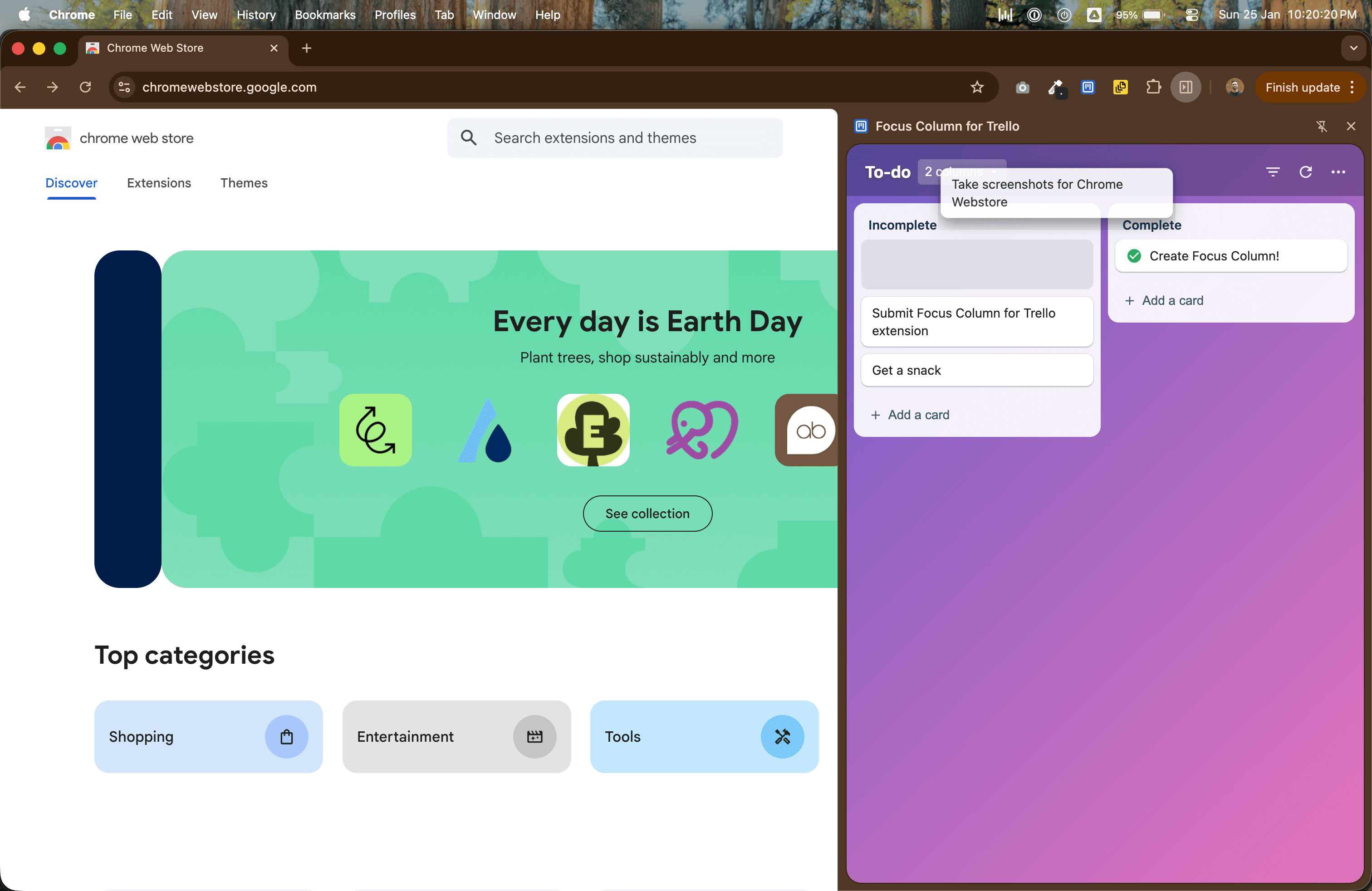
Focus on specific columns
Select which columns to display. View one column at a time or multiple columns side by side.
Quick card actions
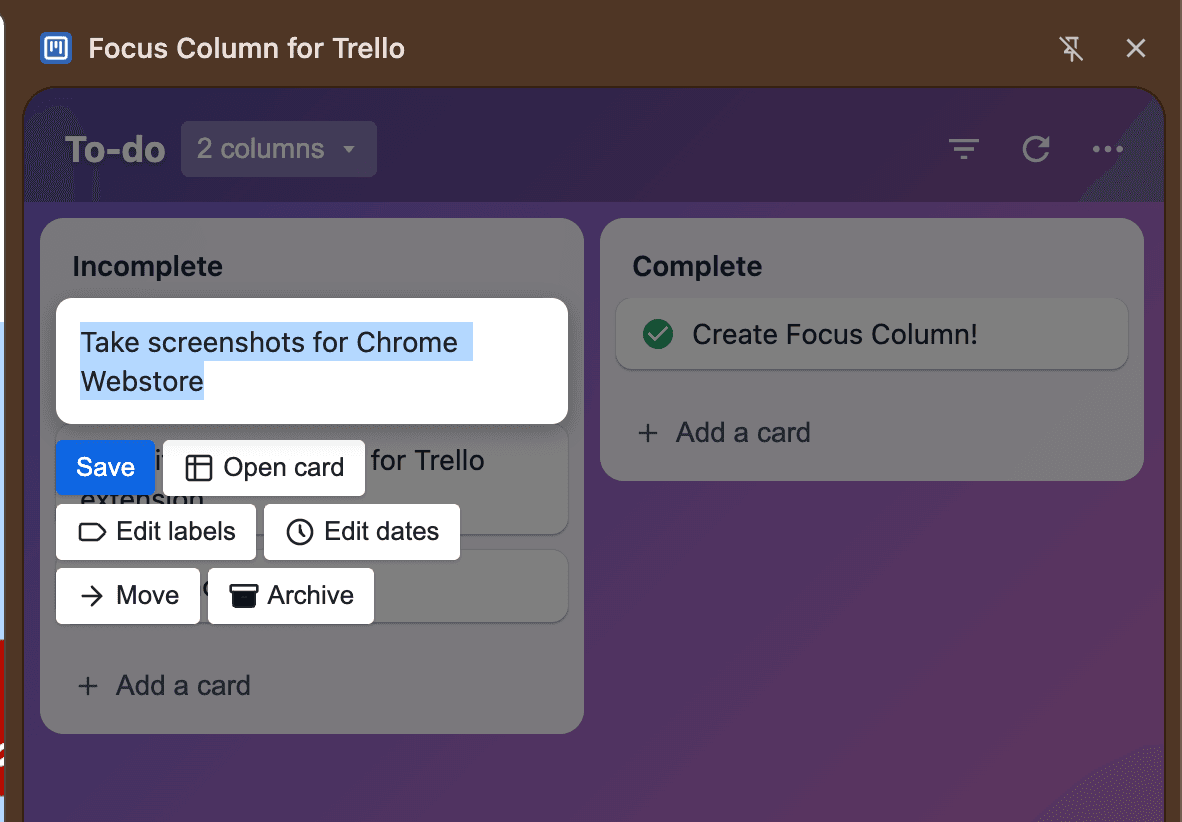
Complete tasks, archive cards, edit labels, set due dates, and move cards between columns—all from the sidebar.
Keyboard shortcuts
Power users will love the keyboard shortcuts. Press 'C' to archive, hover and act—no clicking required.
Dark mode support
Easy on the eyes. The extension respects your system preferences or lets you choose manually.
Checklist management
View and manage card checklists directly in the sidebar. Check items off without opening the full card.
Privacy focused
Your data stays between you and Trello. We don't collect, store, or transmit any of your board data.
Frequently Asked Questions
What is Focus Column for Trello?
Focus Column for Trello is a Chrome extension that displays your Trello board columns in a convenient sidebar panel. It lets you focus on specific columns without the visual clutter of a full Trello board, making it easier to manage your tasks while working on other things.
Is my Trello data safe?
Yes. The extension connects directly to Trello using their official API with your authorization. We don't collect, store, or have access to any of your Trello data. All communication happens directly between your browser and Trello's servers.
How do I use it?
After installing the extension, navigate to any Trello board and click the extension icon or use the Chrome side panel. You'll be prompted to authorize with Trello (one-time). Then select which columns you want to focus on, and you're ready to go!
Is it free?
Yes, Focus Column for Trello is completely free to use. There are no premium features, subscriptions, or hidden costs.
Does it work with all Trello boards?
Yes, the extension works with any Trello board you have access to—personal boards, team boards, and workspace boards.
Create website widgets with
 Google Sheets or
  Airtable
Focus Column for Trello is built by the team behind Shareables, the easiest way to create websites from your Google Sheets or Airtable data. No coding required.
Learn More →